
Captions, just like that.
Transcribe, translate, and export burn-in media.
Offline. Secure. Private.
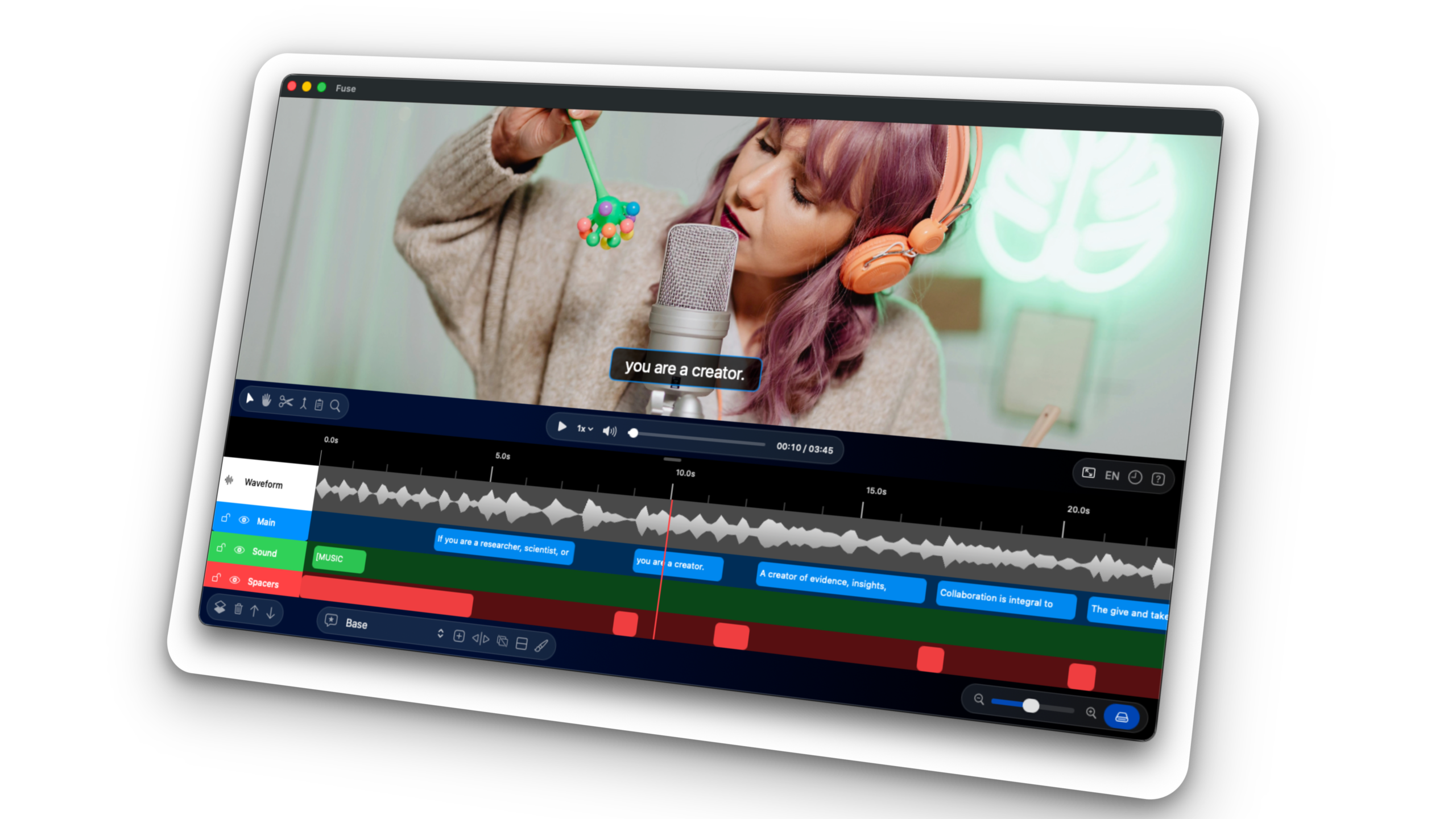
On-Device AI
No loading time required. Now enjoy using the Large model with up to 2x faster performance.
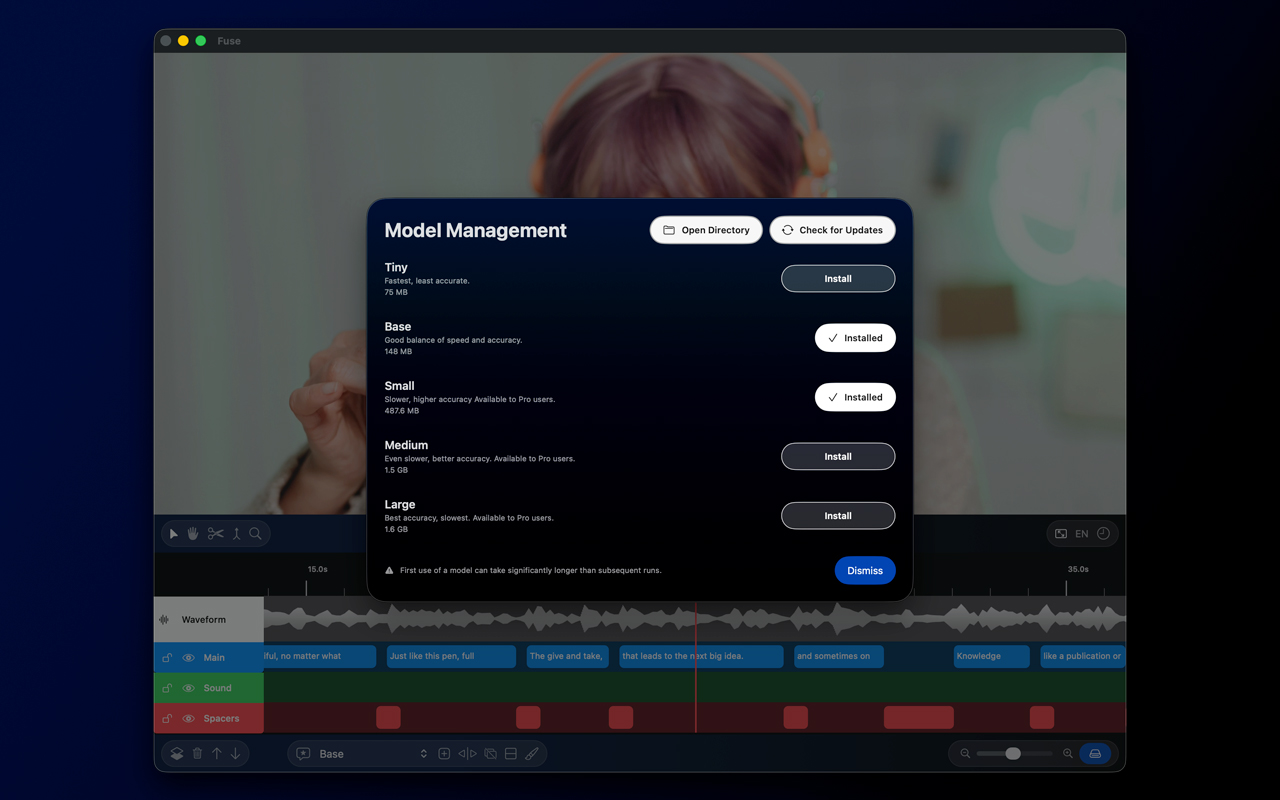
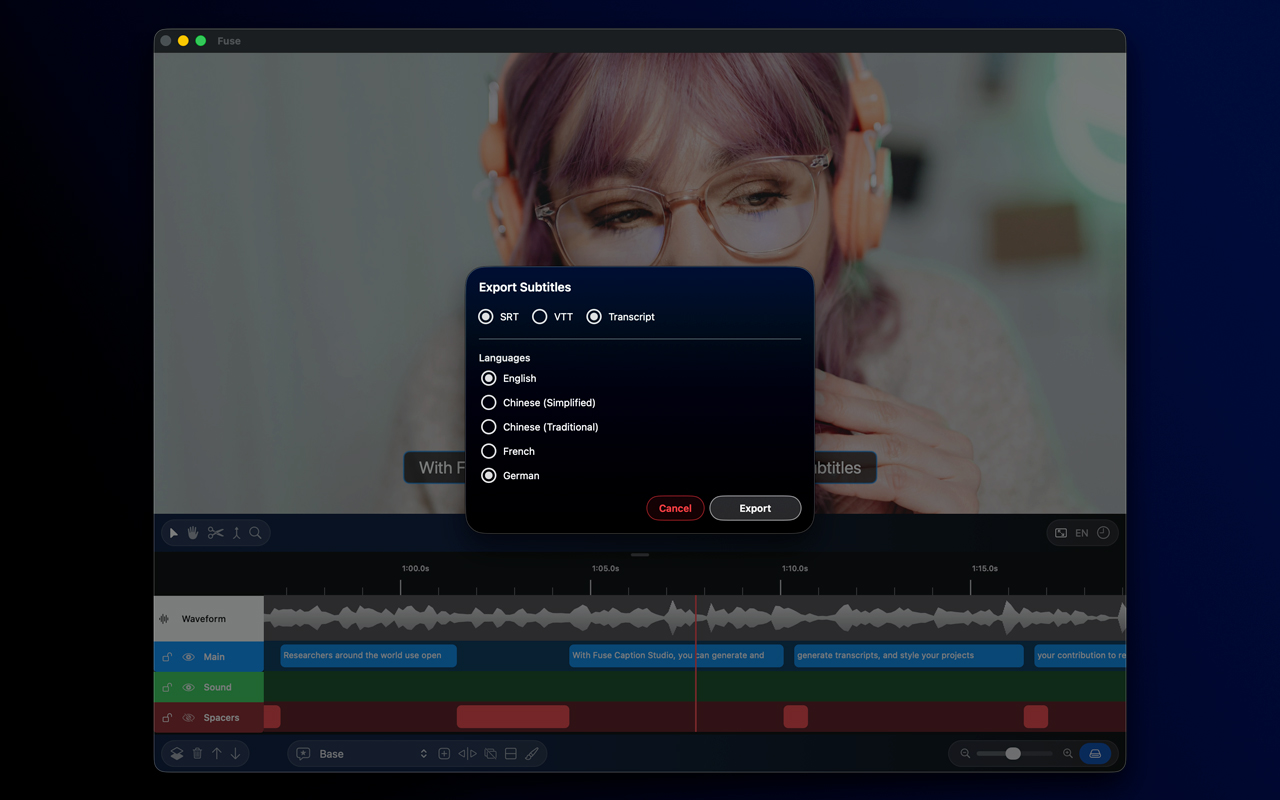
Transcribe in seconds
When you need more than subtitles, generate a clean text transcript – no timestamps, just words.
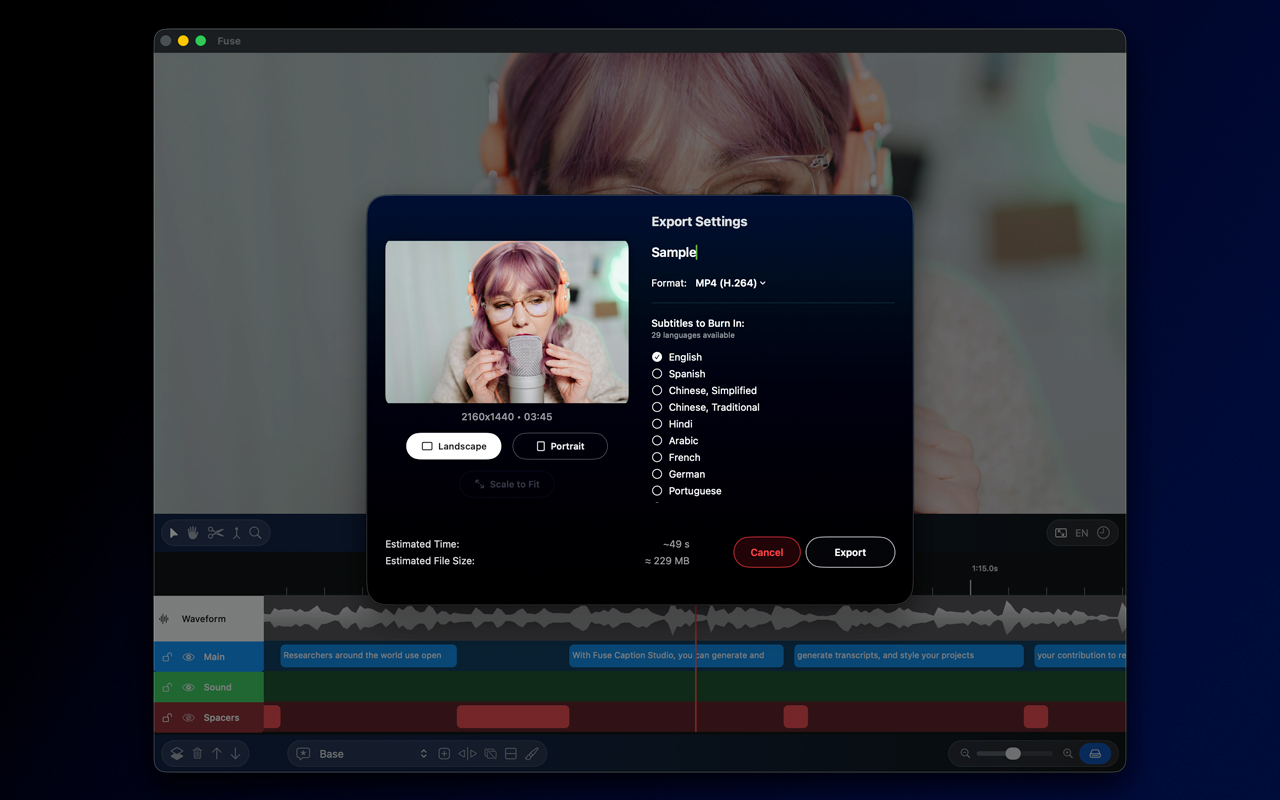
Burn-in & Export
Export your subtitles for use in other software,
or create burned-in content ready to share on your socials.
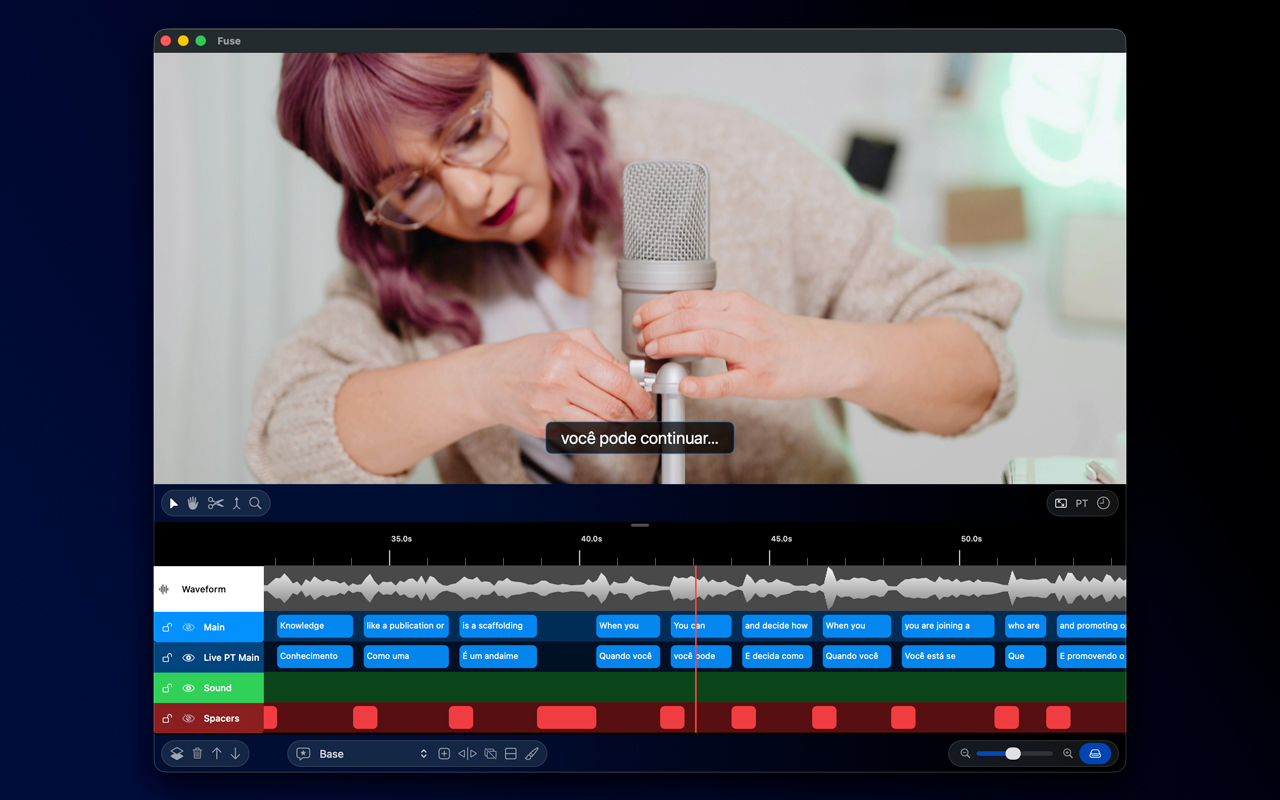
Live Translation
With a do-it-once approach, edit in the language of your choice and see the magic happen live.
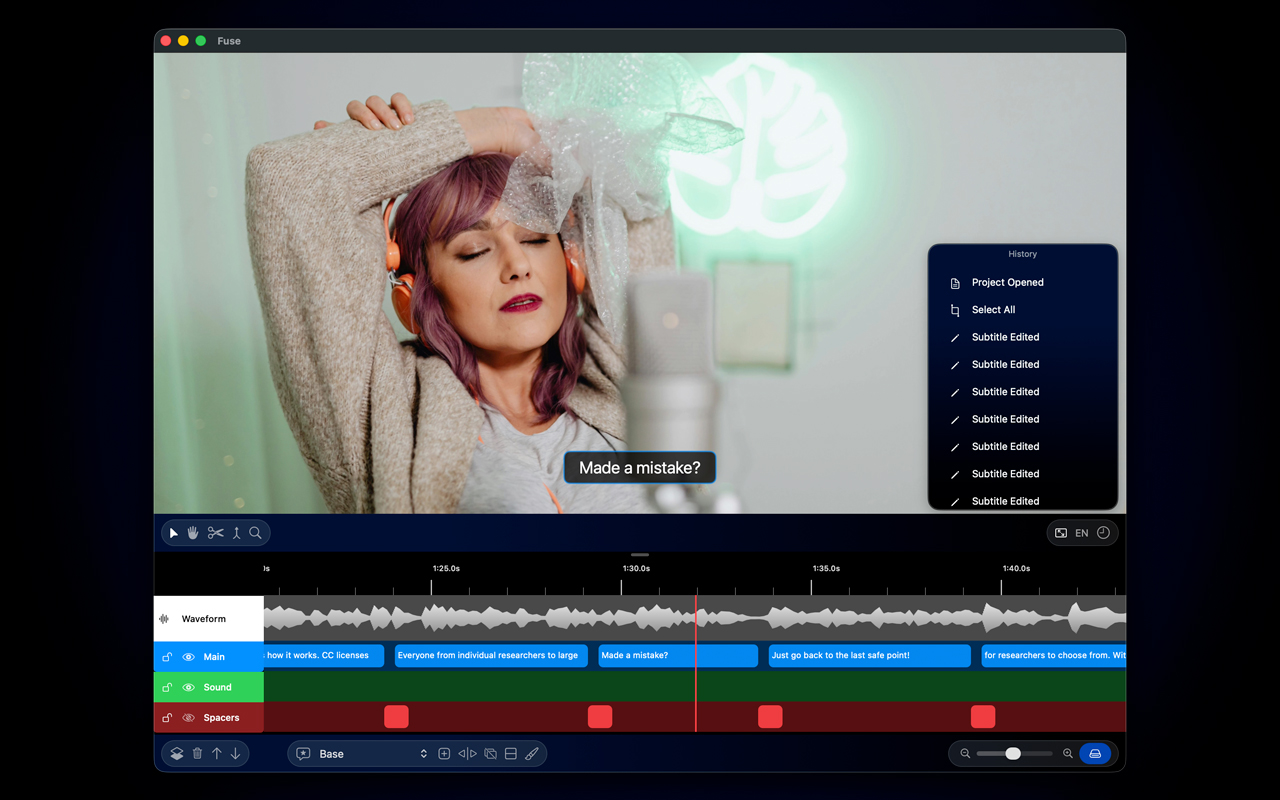
Visual History
Go back in time to fix an issue, or reverse your decision. The choice is yours.
Compatibility





FAQs
How is Fuse Caption Studio different from other transcription apps?
Fuse Caption Studio is built natively for Mac, leveraging on-device AI for faster, more private processing. It also includes unique features like visual layers and dynamic splitting that are not found in most competitors.
What are the system requirements for Fuse Caption Studio?
Fuse Caption Studio is optimized for Apple Silicon and requires macOS 15.6 or later. We recommend at least 16GB of unified memory for the best performance.
Are Intel Macs compatible?
Some versions of intel Macs are compatible with Fuse Caption Studio.
Please be aware that you are required to be running macOS 15.6 or later, and that Fuse Caption Studio has been built from the ground up for Apple Silicone devices, which might affect performance on Intel Macs.
Starting with macOS 27 and later, Intel Macs can continue to use Fuse Caption Studio up to the latest version available for macOS 26 or earlier, but future updates will stop. This allow Fuse Labs to keep building Fuse Caption Studio with the latest frameworks and technologies, and allow focus on a single architecture.
Does Fuse Caption Studio use my data to train AI models?
Fuse Caption Studio leverages the power of Whisper, a state-of-the-art AI model from OpenAI, for transcription.
This allows Fuse Caption Studio to deliver incredibly accurate and fast results directly on your device. By using this powerful, industry-leading technology, we can focus on providing a seamless user experience with powerful editing tools, all while ensuring your data remains private and secure.
Can I use Fuse Caption Studio without an internet connection?
Yes.
Since all of our transcription and processing models run locally on your Mac, you can use Fuse Caption Studio completely offline.
Do you offer a free trial?
Yes.
The free version of Fuse Caption Studio allow users to use most of the features without a trial time limit.
Once the user is ready, we offer a low monthly subscription or a one time purchase (lifetime license) option.
What is the difference between Pro vs Lifetime Pro?
While Pro is a monthly subscription, Lifetime Pro allow users to buy the lifetime license outright.
How do the different AI models in Fuse Caption Studio differ?
Fuse offers a range of models, each with a different balance of speed and accuracy to suit your needs.
- Tiny and Base: These are the fastest models. They are ideal for quick, short videos or for generating a rough draft of a transcript.
- Small and Medium: These models offer a great balance of speed and high accuracy. They are an excellent choice for most content creators and podcasts, providing professional-grade results without a long wait time.
- Large: This is our most powerful and accurate model. While it requires more time and system resources, it provides the highest possible transcription quality, making it the best choice for critical projects where precision is paramount.
How many languages can the Large model be used with?
Fuse Caption Studio uses OpenAI’s Whisper models, and as such, the Large model available for Pro and Lifetime Pro users can generate subtitles to a vast library of languages.
To see a full list of compatible languages, please visit: https://whisper-api.com/docs/languages/
In this moment in time, Fuse Caption Studio can generate subtitles to any of the listed languages above, and output them to English. A new version is coming soon with native support for all the listed languages, allowing output for the same language, if chosen by the user.
Example:
- Current: Audio in French -> Generates subtitles in English;
- New upcoming update: Audio in French -> Subtitles can be generated as default (English) or to match the same language (French).
Are you ready to Fuse your workflow?